
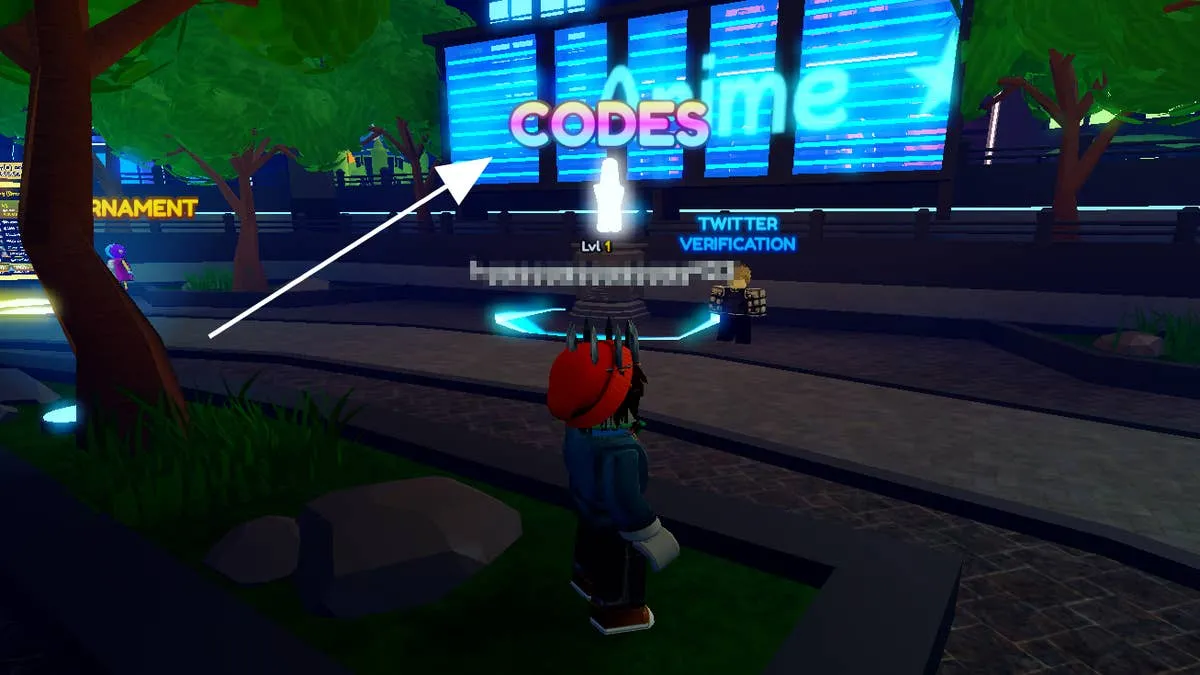
Need extra Gems, Holiday Stars, or Dungeon Keys to upgrade your units and beat those tougher levels in Anime Adventures? You're in luck! Here’s a list of all the latest working codes you can redeem right now for free rewards. Just make sure to meet the level requirements on certain ones!
✅ Latest Active Codes
- APRILFOOLS – 🎁 Rewards (Requires Level 20)
- UPDATESOON5189 – 🎁 Rewards (No level required)
- DUNGEONS – 🗝️ 1 Dungeon Key
- UPDATE20RELEASE – 🎁 Rewards (No level required)
- UPD20INCOMING – 💎 500 Gems & 🌟 2000 Holiday Stars
- ASSASSIN – 💎 500 Gems & 🌟 1500 Holiday Stars (Requires Level 20)
- UPDSOON – 💎 500 Gems (Requires Level 20)
Be sure to redeem them before they expire!
🛠️ How to Redeem Codes in Anime Adventures
- Launch Anime Adventures on Roblox.
- Walk to the Codes booth — it’s between the Play and Summon entrances near the Tournament area.
- Enter the circle in front of the booth.
- A code entry window will pop up — paste in one of the codes listed above.
- Hit Redeem, and your rewards will be added instantly to your inventory!
📌 Note: If a code doesn’t work, check if you meet the level requirement or if it has expired.
Keep checking back for new codes as updates roll in or events go live!
Sign in to join the conversation.
Sign in with Google