
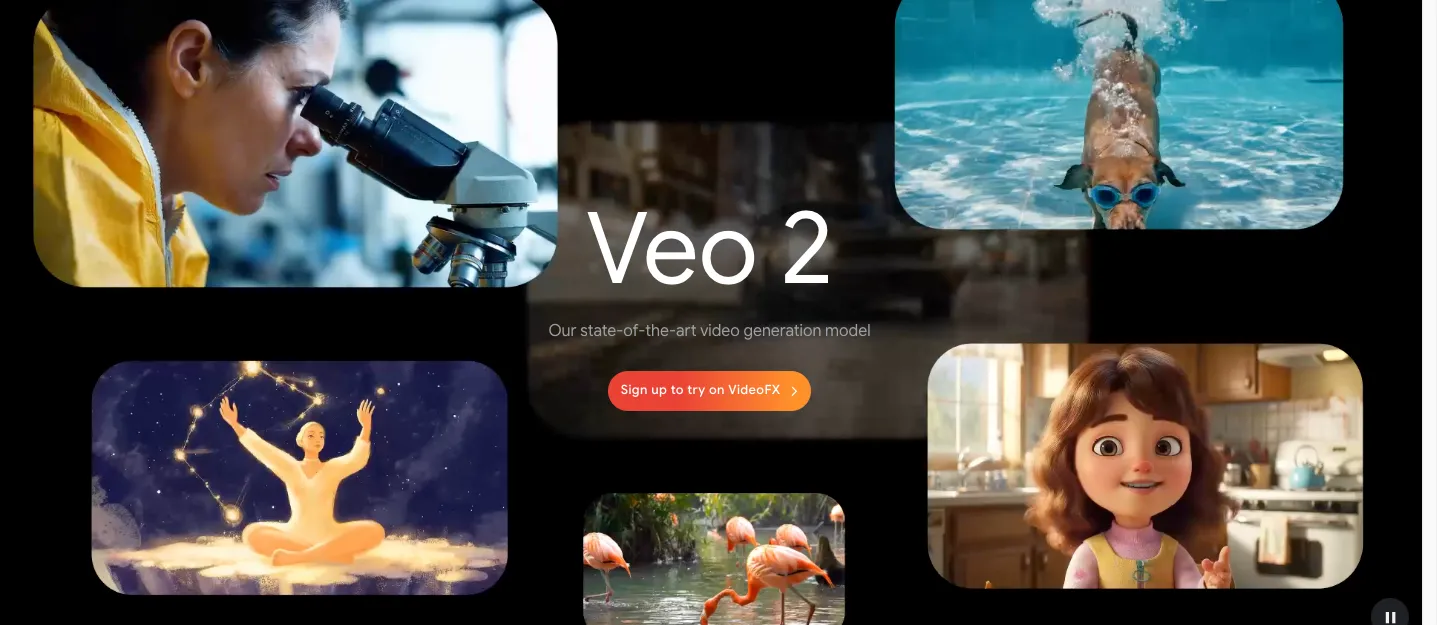
If you've ever wanted to bring your ideas to life in just seconds, Google's Gemini Veo 2 is here to make it happen! As of now, all users with a Gemini Advanced subscription via Google One AI Premium can access this powerful new video generation tool 🌍✨
🧠 What is Veo 2? Meet Google’s Next-Gen Video Model
Veo 2 is the latest and most advanced version of Google's AI video generation technology. It transforms text-based prompts into cinematic, 8-second video clips, automatically and with stunning clarity 🎥
Here’s what makes it shine:
- 🔬 Improved understanding of physics & human motion
- 🧍♀️ More fluid character animations
- 🌆 Realistic environments and high-resolution visuals
- 🖌️ Style customization from realism to surrealism or fantasy
🛠️ How It Works
Creating videos with Veo 2 is super easy:
- Go to gemini.google.com
- Select Veo 2 from the model dropdown
- Type your idea in a detailed prompt
- Get a 720p MP4 video (16:9 format) lasting 8 seconds
- Download or share directly via your smartphone 📲
✅ Videos can be uploaded instantly to TikTok, YouTube Shorts, or other platforms with just a tap.
📉 Are There Limits?
Yes — there are monthly usage limits, but Google will alert you when you're getting close. So you’ll always know when it’s time to take a creative break or save your credits 💡
🌍 Who Can Use It?
Veo 2 is available to all Gemini Advanced users with a Google One AI Premium plan, and it supports all languages that Gemini does! 🌐 That means whether you speak English, Spanish, Korean, Hindi, or any supported language — you’re good to go.
🧠 What Can You Make With Veo 2?
Literally anything you can imagine:
- 🎠 Fantastical dreamscapes
- 🤖 Sci-fi scenes
- 🐉 Mythical creatures
- 🏞️ Nature documentaries
- 🚗 Product visualizations
- 😍 Romantic or dramatic moments
The more vivid your description, the more accurate the result! So don’t be afraid to get creative with your wording ✍️✨
📢 Final Thoughts
Veo 2 represents the next frontier of creative expression with AI. Whether you're a content creator, marketer, filmmaker, or just someone with wild ideas to explore — Gemini Advanced + Veo 2 gives you the tools to visualize your imagination.
🚀 Try it now at gemini.google.com and start crafting 8-second cinematic gems! What will you create?
Sign in to join the conversation.
Sign in with Google